We're shipping a new integration today: the Brand Kit OS MCP Connector. It connects your brand assets directly to AutoLog's changelog automation.
If you follow AI infrastructure, you've probably seen MCP popping up everywhere. Model Context Protocol is becoming the standard for connecting AI assistants to external tools. We built our connector on top of it.
What MCP actually does

MCP lets AI assistants like Claude talk to external systems. Think of it as a universal plugin. Instead of building custom integrations for every app in your stack, you build one connector and it works across the ecosystem.
For changelogs specifically, this changes things. Your AI assistant can pull from your version control system, your brand guidelines, and your project management tools at the same time. The output is accurate. It's also on-brand.
How the connector works
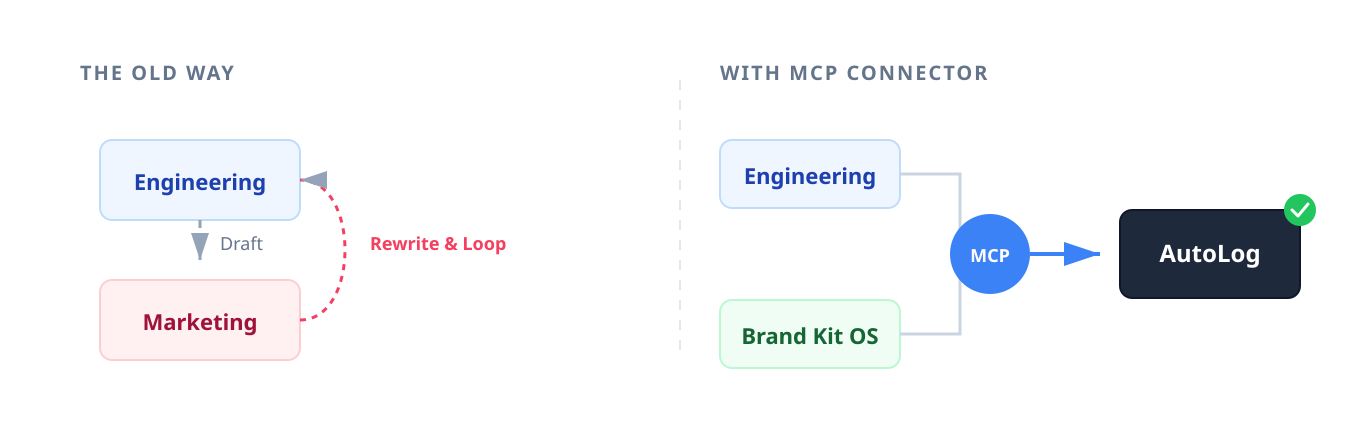
Brand Kit OS holds your brand assets logos, color palettes, typography, voice guidelines. Our MCP connector links it to AutoLog.
When AutoLog generates a changelog, it checks your Brand Kit OS assets first. Terminology, tone, and visuals match your guidelines without manual review. Need to include logos or branded imagery? The connector pulls the current approved versions. Designers update assets in Brand Kit OS, and those changes show up in your release communications automatically.
Why we built this
Developers didn't sign up to be brand managers. But every time you publish release notes, you're stuck making brand decisions anyway. Playful or straightforward headline? Which terminology? Which logo variant?
It's friction. The connector removes it.
A typical workflow right now: Engineering finishes a feature, drafts the changelog, sends it to marketing. Marketing flags terminology issues or requests rewrites. Back and forth. With the MCP connector, AutoLog generates something that already matches brand standards because it's pulling directly from Brand Kit OS. The review cycle shrinks or disappears.
Getting started
Setup takes a few minutes if you already use AutoLog for automated changelogs.
You need admin access to both your AutoLog workspace and Brand Kit OS account. Go to integrations in your AutoLog dashboard and find the MCP connectors category.
Authentication uses OAuth. You authorize AutoLog to read from Brand Kit OS read-only, so your brand assets stay secure.
Once connected, a "Brand Settings" panel appears in your changelog configuration. Set naming conventions for features. Configure sections to use approved terminology. If you used our step-by-step setup guide, this follows the same pattern: configure once, it just works.
What teams found in testing
A few concrete things came up during beta:
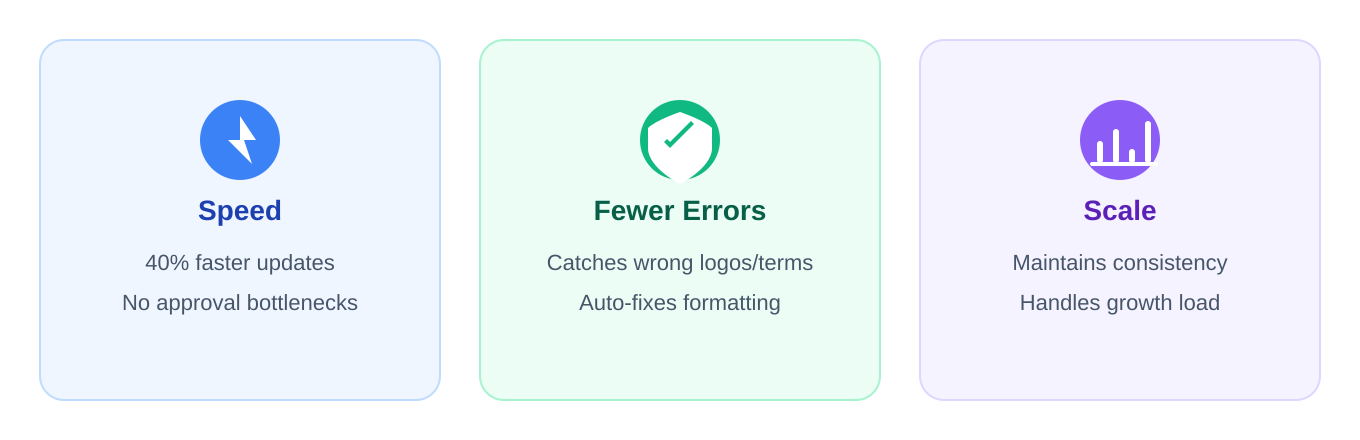
Speed. Some teams released updates 40% faster. No waiting on marketing approvals for changelog content.
Fewer errors. Wrong logo version, outdated terminology, inconsistent formatting automation catches these before publish.
Scale. As teams grow and shipping gets faster, brand consistency gets harder manually. The connector handles that load.
MCP and where tooling is going
This connector is part of a broader shift.
The MCP ecosystem is expanding quickly. The old model every SaaS platform building proprietary integrations with every other platform is inefficient. MCP provides a common language. Connect once, work everywhere.
For AutoLog users, the platform gets more useful as more tools adopt MCP. Today it's Brand Kit OS. Tomorrow: design systems, documentation platforms, CI/CD pipelines.
We've written about how automatic changelogs boost user engagement. The MCP connector extends that idea. Changelogs that are fast to create and consistent with your brand.
What's next
The Brand Kit OS MCP Connector is live for all AutoLog plans. Existing customers: check your integrations settings. New users: see our features page.
We're building more MCP connectors design tools, documentation platforms, project management systems. Each one tightens the integration between changelog automation and your existing workflow.
Sign up for AutoLog and connect your Brand Kit OS workspace. Questions or suggestions for future integrations? Our changelog is updated regularly, often based on user feedback.
Published with LeafPad